
You applied to 100 jobs on Naukri. You got 2 callbacks. You think the market is bad. You think your skills aren’t good enough. You think nobody is hiring.
But here’s what actually happened — 98 of those resumes were rejected before any human saw them. Not by a recruiter. By a software called ATS.
ATS — Applicant Tracking System — is the software companies use to filter resumes automatically. It scans your resume for keywords, format, and structure. If your resume doesn’t match, the software rejects it in seconds. No recruiter ever reads it.
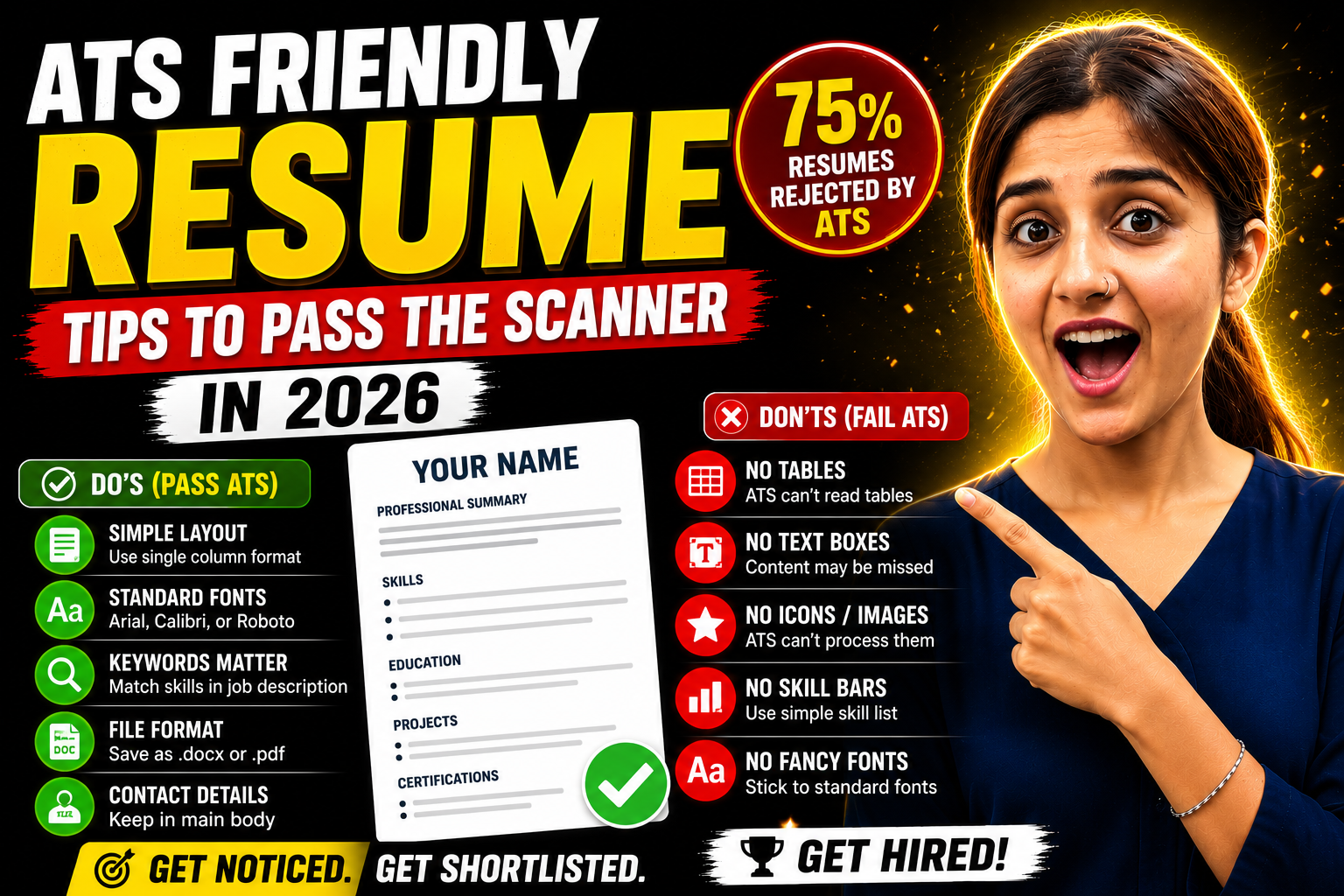
According to a 2025 Jobscan report, 75% of resumes in India are rejected by ATS before reaching a human. Your resume might be perfect for the job — but if the scanner can’t read it, you’re invisible.
In this article, I’ll show you exactly why ATS rejects resumes and how to make yours pass every time.
How Does ATS Scanner Work — The Simple Explanation
Think of ATS like a search engine for resumes. The recruiter enters the job requirements — “Java, 2 years experience, Bangalore, B.Tech.” The ATS scans every resume submitted and ranks them by match percentage.
Here’s what happens step by step:
1. You apply → Your resume enters the ATS database.
2. ATS parses → The software reads your resume and extracts text — name, contact, skills, experience, education.
3. ATS matches → It compares your resume against the job description keywords.
4. ATS ranks → Your resume gets a match score — say 72% or 45%.
5. Recruiter sees → Only resumes scoring above the threshold (usually 60-80%) reach the recruiter.
If ATS can’t parse your resume properly — because of fancy formatting, images, or unusual layouts — it extracts garbage text. Your score drops to near zero. Rejection.
A software developer in Hyderabad applied to 60 jobs with a beautifully designed Canva resume. Double columns. Icons for contact details. Skill bars showing percentages. It looked great on screen. The ATS read it as a jumbled mess of random text. Zero callbacks. He switched to a plain single-column format with standard fonts. Same content. 11 callbacks from the next 25 applications.
Major companies using ATS in India — TCS, Infosys, Wipro, HCL, Amazon, Flipkart, Zomato, Swiggy, ICICI, HDFC, Deloitte, Accenture. If you’re applying to any mid-size or large company, your resume passes through ATS first.
Why ATS Rejects Resumes — The Top Reasons Most Candidates Don’t Know
Let me show you the exact reasons ATS throws out good resumes — and how to fix each one.
Reason 1: Fancy Formatting ATS Can’t Read
| What ATS Can’t Read | What to Use Instead |
|---|---|
| Tables and columns | Simple single-column layout |
| Text boxes | Regular paragraphs |
| Headers and footers | Content in the main body |
| Images and icons | Plain text |
| Skill bars and star ratings | Simple skill list |
| Infographic-style layouts | Clean, standard sections |
A B.Com graduate in Mumbai used a two-column resume template from Pinterest. Her name and contact details were in a coloured sidebar. ATS couldn’t extract her phone number or email. Her resume was technically “complete” — but the system parsed it as a nameless, contactless document. Rejected 100% of the time.
Reason 2: Missing Keywords From the Job Description
ATS matches your resume against the job description — word by word. If the job says “React.js” and your resume says “React” — some ATS systems won’t match it. If the job says “project management” and your resume says “managed projects” — the keyword might not register.
Fix: Read the job description carefully. Copy the exact skill names and phrases they use. If they say “Salesforce CRM” — write “Salesforce CRM,” not “CRM tools.” If they say “data visualization” — use “data visualization,” not “making charts.”
A fresher in Delhi customized her resume keywords for each job application. She spent 5 minutes per application matching her skills section to the job description. Her ATS pass rate jumped from 15% to 65% in one month.
Reason 3: Wrong File Format
Some ATS systems struggle with certain file types.
| Format | ATS Compatibility |
|---|---|
| .docx | Best — most ATS handle it perfectly |
| Good — most modern ATS read it fine | |
| .doc (old Word) | Risky — older format, occasional parsing errors |
| .jpg / .png | Rejected — ATS can’t read image files |
| Google Docs link | Not accepted — always download and upload |
Safe rule: Save as .docx for Naukri and company portals. Save as .pdf for LinkedIn and email applications. Never submit a resume as an image or screenshot.
Reason 4: Non-Standard Section Headings
ATS looks for standard section names — “Education,” “Skills,” “Work Experience,” “Certifications.” If you use creative headings like “My Journey,” “What I Bring,” or “The Arsenal” — ATS doesn’t recognize them and skips the entire section.
Standard headings that always work:
- Career Objective / Professional Summary
- Education
- Skills / Technical Skills
- Work Experience / Professional Experience
- Projects
- Certifications
- Achievements
ATS Friendly Resume Checklist — Do’s and Don’ts
✅ Do’s
- Use a single-column layout — ATS reads top to bottom, left to right
- Use standard fonts — Arial, Calibri, Roboto, Garamond, Times New Roman
- Font size 10-11 for body, 13-14 for name, 11-12 for headings
- Use standard section headings — Education, Skills, Experience
- Include exact keywords from the job description in your skills section
- Save as .docx or .pdf — both work for modern ATS
- Use bullet points — simple round bullets, not custom symbols
- Keep file name professional — YourName_Resume.pdf
- Put contact details in the main body — not in headers or footers
- Use full terms first, abbreviation later — “Search Engine Optimization (SEO)”
❌ Don’ts
- Don’t use tables or columns — ATS scrambles the reading order
- Don’t use text boxes — content inside text boxes often gets skipped
- Don’t add images or photos — ATS can’t process visual elements
- Don’t use skill bars or star ratings — ATS reads them as random characters
- Don’t use icons for phone, email, or location — use plain text
- Don’t use fancy borders or coloured backgrounds — parsing breaks
- Don’t use headers/footers for important information — many ATS skip them
- Don’t use abbreviations without spelling them out first — write “Structured Query Language (SQL)” at least once
- Don’t copy-paste from Canva — formatted text from design tools carries hidden code that confuses ATS
- Don’t submit .jpg or .png — ATS can’t read image files at all
A data analyst in Bangalore ran her Canva resume through an ATS checker. The system extracted only 40% of her content correctly. Her skills section was completely missing. She rebuilt the same resume in Google Docs with a simple template. The ATS extracted 98% of her content. Same information — different format — completely different result.
How to Check If Your Resume Is ATS Friendly — Free Tools
Don’t guess. Test your resume before sending it.
| Tool | What It Does | Cost |
|---|---|---|
| Jobscan | Compares resume vs job description, gives match % | Free (limited scans) |
| ResumeWorded | Scores your resume and gives improvement tips | Free basic |
| SkillSyncer | Keyword matching and ATS simulation | Free trial |
| TopResume Free Review | AI review with ATS compatibility feedback | Free |
How to use Jobscan (recommended):
Step 1: Go to jobscan.co
Step 2: Paste your resume text on one side
Step 3: Paste the job description on the other side
Step 4: Click “Scan.” The tool shows your match percentage and missing keywords
Step 5: Add the missing keywords to your resume naturally
Step 6: Rescan. Aim for 70%+ match score
A marketing fresher in Pune used Jobscan before every application. Her first scan showed 38% match. She added 6 missing keywords from the job description into her skills and summary sections. Her score jumped to 78%. She got 3 callbacks from 5 applications that week.
Quick manual test: Copy your entire resume text. Paste it into Notepad (plain text editor). If the pasted text reads correctly — in proper order, all sections visible, no jumbled text — your resume is likely ATS compatible. If it’s scrambled or missing sections, your formatting needs fixing.
Frequently Asked Questions
Q1: What percentage of resumes are rejected by ATS?
Approximately 75% of resumes are filtered out by ATS before any recruiter sees them. The primary reasons — missing keywords, incompatible formatting, and non-standard section headings. This means only 1 in 4 resumes actually reaches a human reviewer. Optimizing for ATS dramatically increases your chances of being seen.
Q2: Can ATS read PDF resumes?
Yes — most modern ATS systems in 2026 can read PDF files without issues. However, the PDF must be text-based (created from Word or Google Docs), not image-based (scanned or screenshot). If you created your resume in Canva with complex layouts, the PDF might still parse incorrectly. Safest option — .docx for company portals, PDF for email and LinkedIn.
Q3: What makes a resume ATS friendly?
Four things — single-column layout with no tables or graphics, standard section headings (Education, Skills, Experience), exact keywords matching the job description, and a clean file format (.docx or text-based .pdf). Use standard fonts, simple bullet points, and keep all important information in the main body — not in headers or footers.
Q4: How to add keywords in resume for ATS?
Read the job description. Identify every skill, tool, technology, and qualification mentioned. Add these exact terms to your skills section and weave them naturally into your project descriptions and summary. Don’t stuff keywords randomly — ATS is smart enough to detect unnatural repetition. Use each important keyword 1-2 times in relevant context.
Q5: How does ATS scanner actually work?
ATS extracts text from your resume, identifies sections (education, skills, experience), and matches the content against the job description. It assigns a relevance score based on keyword matches, required qualifications, and experience level. Resumes scoring above the recruiter’s threshold (usually 60-80%) get forwarded to humans. Everything below is filtered out automatically.
Don’t Let Software Reject What Humans Would Approve
Here’s the frustrating truth — you might be the perfect candidate. Right skills. Right degree. Right experience. But if your resume formatting confuses the ATS, the recruiter never knows you exist.
Open your resume tonight. Remove all graphics, tables, columns, and icons. Use a clean single-column layout. Match your keywords to the job description. Test it on Jobscan. Aim for 70%+ match.
This takes 30 minutes. Those 30 minutes could be the difference between silence and a callback.
Lakhs of qualified candidates across Delhi, Mumbai, Bangalore, and Pune are getting rejected by software — not by humans. Don’t be one of them. Fix your format. Match your keywords. Let the recruiter actually see your resume.
The best resume isn’t the prettiest. It’s the one that gets read. 💪